
Are your carefully built PBNs leaving a digital trail that points directly back to you? The themes and plugins you use can create a consistent, detectable pattern across your network, putting your entire investment at risk. Successfully avoiding detection is not about luck; it's about meticulous and strategic execution.
PBN theme plugin fingerprints are unique, identifiable patterns in code left by WordPress themes and plugins. These include specific CSS class names, Javascript libraries, HTML comments, and meta tags. When multiple sites share these patterns, search engine crawlers can identify them as a connected network, which can lead to de-indexation and penalties. Erasing these digital traces is essential for maintaining a safe and effective private blog network in 2026.
Think of PBN theme and plugin fingerprints as digital DNA. Every WordPress theme and plugin has a unique code structure. This includes the names of CSS classes (like `.post-title` or `.widget-area`), the specific Javascript files it loads, and even the HTML comments it might leave in the source code (e.g., ``). When you use the same theme, even with different colors, across multiple websites, you are leaving the exact same digital DNA on each one.
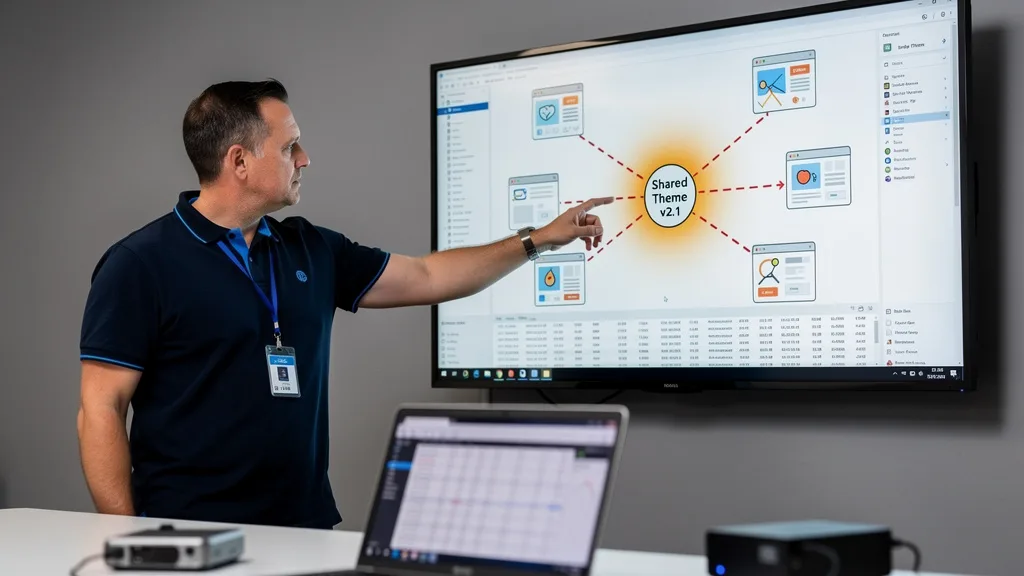
Search engine crawlers are incredibly efficient at indexing not just the content of a website, but also its underlying structure. They can easily collect these code snippets and compare them across billions of pages. When they find a large number of sites that share an unusual number of these specific code fingerprints, it creates a strong signal that these sites are not independent but are part of a coordinated network. This shared signature is a major red flag and one of the easiest ways for a PBN to get exposed.
Why Avoiding PBN Theme Plugin Fingerprints Is Crucial
Ignoring theme and plugin footprints is one of the most common and catastrophic mistakes you can make when managing a PBN. The consequences are not just theoretical; they are a direct threat to your assets. If Google or another search engine positively identifies your network, the best-case scenario is that the links from your PBN are devalued, rendering them worthless. The worst-case scenario involves the complete de-indexation of your entire network and potentially a manual action or penalty applied to your money sites.

For businesses operating in high-stakes industries, the financial impact of a detected network can be devastating. Protecting your investment in your PBN and, more importantly, the rankings of your primary business sites, is paramount. This is why meticulous footprint removal is not an optional step; it is the fundamental principle of safe PBN management in 2026. This is especially true when providing services like iGaming & Casino PBN links, where the value of rankings is immense.
In 2026, Google's detection algorithms are more sophisticated than ever. Ignoring PBN theme plugin fingerprints isn't just lazy, it's a direct invitation for a network-wide penalty.
| Footprint Source | Bad Practice (High Risk) | Best Practice (Low Risk) |
|---|---|---|
| WordPress Theme | Using the same default or popular theme across multiple sites. | Using unique, heavily customized, or different themes for each site. |
| Plugins | Installing the same set of 10 plugins on every site. | Using a minimal, diverse set of plugins unique to each site's needs. |
| CSS Classes | Leaving default theme class names like `.entry-title` or `.main-navigation`. | Obfuscating or randomizing CSS class names and IDs. |
| HTML Comments | Leaving theme/plugin credits like "<!-- Powered by X Theme -->". | Stripping all HTML comments from the final output. |
| JS Libraries | Using the same version of jQuery or other libraries loaded from the theme. | Using unique or obfuscated Javascript libraries, or loading from a CDN. |
Core Strategies to Avoid Common PBN Footprints in 2026
Building an undetectable PBN requires a proactive and multi-layered approach to footprint elimination. Focusing on the core components of every WordPress installation, the themes and plugins, is your first and most important line of defense. These strategies are foundational to network safety.
Strategic Theme Selection and Heavy Customization
The single biggest theme-related footprint is using the same theme across your network. This applies to popular premium themes from marketplaces as well as free themes from the WordPress repository. The solution is diversity and customization. Avoid the temptation to buy one "multipurpose" theme and use it everywhere. Instead, build a library of different themes from various developers.
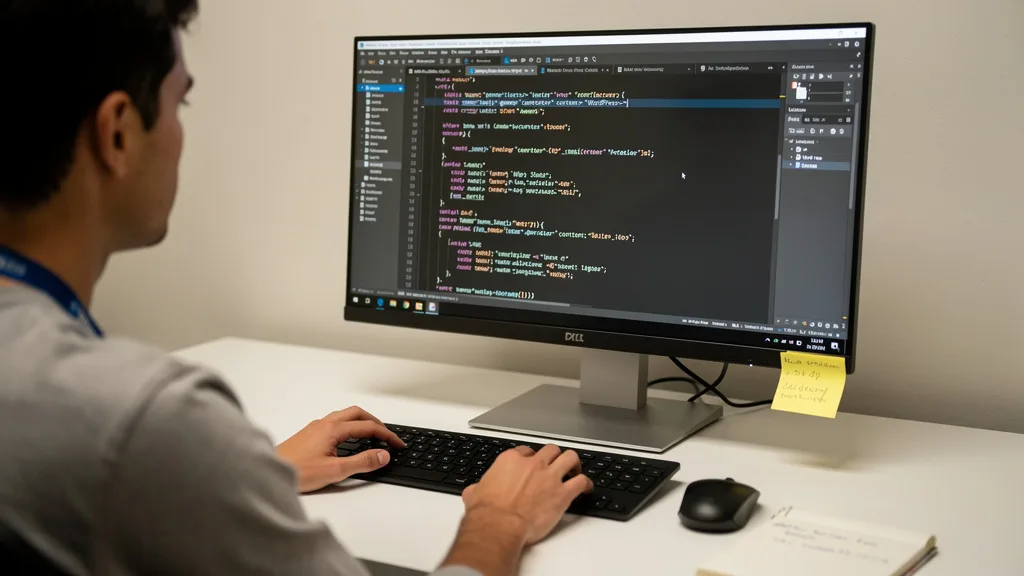
Even better, take a basic theme and customize it heavily. This goes beyond changing colors and logos. You should be altering the PHP template files, modifying the layout structure, and most importantly, changing the CSS. The goal is to make the theme's code unrecognizable from its original state, effectively creating a unique theme for each site in your network.
Minimizing and Diversifying Your Plugin Stack
Just like themes, plugins leave significant footprints. Many network managers create a "standard build" with the same 5-10 plugins installed on every site. This is a massive, easily detectable pattern. A site with Yoast SEO, Contact Form 7, and W3 Total Cache has a very specific plugin signature. If 50 sites share that exact signature, they are clearly connected.
The principle here is twofold: minimize and diversify. First, only install plugins that are absolutely necessary for the site's function. The fewer plugins you have, the fewer footprints you leave. Second, for necessary functions, use different plugins across your network. For SEO, use Rank Math on one site, SEOPress on another, and The SEO Framework on a third. This randomization breaks the pattern and makes your sites appear unrelated.
Modifying CSS Class Names and File Structures
This is a more technical but highly effective strategy. The default CSS class names in a theme are a huge fingerprint. A crawler can quickly identify all sites that use the class `.main-navigation` within a `nav` element. Manually or with a script, you should change these common class names to something random or unique, for example, changing `.main-navigation` to `.primary-nav-a7b3`.
This process, often called obfuscation, makes it computationally difficult to match one site's theme structure to another. While you are editing the theme, you can also consider renaming CSS or Javascript files. Changing `style.css` to `main-styles.css` or `theme.js` to `core-functions.js` adds another layer of diversity that helps break the common patterns crawlers look for.
Obfuscating Common WordPress Meta Tags and Headers
By default, WordPress proudly announces itself in your site's code. The most obvious example is the generator tag: ``. This tag gives away the platform and its specific version. This and other meta tags, like the REST API and oEmbed discovery links, should be removed with a simple function in your theme's `functions.php` file.
Similarly, check the HTTP headers your server sends. Headers like `X-Powered-By` can reveal information about your server stack. While these are smaller footprints, they contribute to the overall signature of your site. The goal is to make your site look as generic and non-WordPress-like as possible from a code perspective.
Advanced Techniques for Erasing Digital Traces
Once you have mastered the core strategies, you can move on to more advanced techniques. These methods require more technical skill but offer an even higher level of security for your network, making it virtually invisible to automated detection tools.
Using Unique or Obfuscated Javascript Libraries
Many themes and plugins call on common Javascript libraries like jQuery, often loading a specific version. A crawler can easily fingerprint sites by checking which version of `jquery.js` they load and from where. An advanced technique is to self-host these libraries and even obfuscate the code, which involves running the Javascript through a tool that renames variables and functions to make it unreadable and unique.

This is a high-effort task and can break functionality if not done carefully. However, for the most sensitive and valuable networks, ensuring that even your Javascript files are unique can be a powerful way to avoid detection. It removes a very common data point that automated systems use to group websites together.
Randomizing HTML Structure and Removing Comments
Going a step beyond CSS, you can randomize the HTML structure itself. This could mean changing a `
Additionally, you must be absolutely ruthless about removing all HTML comments from your final code output. Themes, plugins, and even developers can leave comments in the code. These are completely invisible to users but are plain text for a crawler. A simple comment like `` can become a connecting footprint if it appears on multiple sites. Use a plugin or a server-side process to strip all comments before the page is served to a browser or bot. For a deeper dive into how trackers build these profiles, this Browser Fingerprinting Guide is an excellent resource.
Leveraging Server-Level Rules to Block Bots
While this doesn't hide your footprints from Google, it can prevent third-party analysis that could expose your network. SEO tools from companies like Ahrefs, Semrush, and Moz use powerful crawlers to index the web and find backlinks. Competitors can use these tools to discover your PBN. You can use your server's configuration file (`.htaccess` for Apache or `nginx.conf` for Nginx) to block these bots by their user-agent.
This is a form of proactive defense. By preventing these tools from crawling your sites, you make it much more difficult for anyone to analyze your backlink profile and uncover your network. It keeps your PBN assets private and reduces the risk of being reported or targeted by negative SEO attacks. This is a standard operating procedure for any professionally managed network.
How to Audit Your Network for a Shared Signature
You can't fix what you can't see. Regularly auditing your network for shared signatures is a critical maintenance task. Do not assume that your initial setup was perfect. Plugins update, themes change, and new footprints can be introduced accidentally. To perform an audit, randomly select two or three sites from your network and compare them.
Use a tool like a diff checker to compare the HTML source code of the homepages. Look for identical blocks of code, especially in the `` section. Pay close attention to the loaded CSS and JS files. Are the names and versions the same? Inspect the CSS. Are the class names identical? Use your browser's developer tools to check the HTTP headers for any revealing information. This manual, hands-on process is the only way to be certain you are managing clean and secure High Authority PBN Links.
Key Takeaways
Successfully managing a PBN in 2026 hinges on your ability to eliminate detectable patterns. Avoiding theme and plugin fingerprints is a non-negotiable part of this process. Here are the most critical points to remember:
- Diversity is Your Best Defense: Never use the same theme or the same list of plugins across your network. Randomize everything.
- Customize, Don't Just Configure: Go beyond theme options. Change the underlying code, including CSS class names, HTML structure, and template files.
- Minimize Your Attack Surface: Every plugin you install is a potential footprint. Use the absolute minimum number of plugins required for each site.
- Remove All Traces of WordPress: Strip WordPress generator tags, meta links, and any other default code that identifies the platform.
- Audit Your Work Regularly: Don't just set it and forget it. Periodically audit your network by comparing the source code of different sites to catch any shared signatures that may have appeared.
Frequently Asked Questions
Is using a premium WordPress theme safer for a PBN?
Not necessarily. In fact, a popular premium theme can be a larger fingerprint than a generic free one. If thousands of sites use a specific premium theme, and a crawler finds 50 of your sites also use it, it's a suspicious correlation. The key is not the price of the theme, but its uniqueness on your network.
A heavily customized free theme is far safer than an unmodified premium theme used across multiple sites. The best approach is to use a wide variety of themes, both free and premium, and ensure each one is heavily modified to look and act completely different from its original version and from other sites in your network.
How many sites can safely use the same theme if it is heavily customized?
The only truly safe answer is one. The entire goal of footprint removal is to make each site appear completely independent. Reusing even a heavily customized theme introduces a calculated risk, as some underlying structural similarities might remain. You are betting that your customizations are sufficient to fool an algorithm designed to find those very similarities.
If you must reuse a customized theme base, you should ensure that for each new site, you are re-randomizing CSS class names, changing file structures, and altering the HTML layout. However, the most risk-averse and professional approach is to treat each PBN site as a unique project with its own unique theme.
Can Google detect PBNs through hosting or IP addresses alone?
Yes, absolutely. Hosting and IP footprints are among the most fundamental and easily detected patterns. If all of your PBN sites are on the same hosting provider, use the same block of IP addresses, or share the same Google Analytics or AdSense ID, they are trivially easy to connect. This is considered a 'PBN 101' mistake.
Proper PBN management requires using different A, B, and C-Class IP addresses from a variety of reputable hosting providers. It also means using different domain registrars and unique WHOIS information. Theme and plugin fingerprints are just one piece of the puzzle; a truly safe network, like those needed for Crypto PBN Links, requires meticulous attention to every possible connecting data point.
What are the most common plugin footprints to avoid?
The most common footprints come from the most popular plugins. Think about the plugins you see on almost every WordPress site: SEO plugins like Yoast or Rank Math, caching plugins like WP Rocket or W3 Total Cache, security plugins like Wordfence, and page builders like Elementor. Each of these leaves very distinct traces in the code.
Using the same combination of these popular plugins across your network is a huge red flag. The solution is diversification. Use different plugins for the same purpose on different sites. Or, for some functions, find a way to achieve the outcome without a plugin at all, for example, by adding caching rules at the server level instead of using a caching plugin.
Does using a static site generator like Hugo or Jekyll avoid these footprints?
Yes, using a static site generator is an advanced and highly effective method for avoiding WordPress-specific footprints. Tools like Hugo, Jekyll, or Eleventy generate clean, simple HTML, CSS, and Javascript files. There are no databases, no PHP, no plugins, and no WordPress meta tags to worry about. The resulting site is extremely fast and has an incredibly small footprint.
This approach requires more technical skill, as you are no longer using the familiar WordPress dashboard. However, the security benefits are immense. A network of static sites is significantly harder to identify as a PBN because it lacks all the common signatures that crawlers are trained to look for in WordPress installations. You can learn more about different link building strategies in our guide on PBNs vs Guest Posts vs Niche Edits.
Conclusion
Mastering PBN theme and plugin fingerprints is the difference between a long-term, valuable asset and a ticking time bomb. By diversifying your themes, minimizing plugins, and actively obfuscating code, you move from being an easy target to a ghost in the machine. In 2026, assuming you can hide in plain sight is no longer a viable strategy; you must actively work to erase your tracks for sustainable success.
Managing a footprint-free PBN requires expertise and constant vigilance, especially in competitive niches like finance and crypto. If you'd rather focus on your business and leave the complexities of safe link building to specialists, we can help. Ready to secure your rankings with penalty-proof backlinks? Get a Link Plan.